
Too many of us have stayed up late dreaming up fun game concepts only to have our spirit completely crushed when we have to look up what it means to actually code them. Learning, memorizing complicated computer scripts, fixing bugware for eternity, and staring too long at difficult tutorials can instantly kill your enthusiasm. When you are looking for a simple way to take your original vision and bring it to life without spending years learning how to program, it gets really irritating.
That’s what makes learning how to make game projects with no-code creation tools and modern systems similar to Astrocade, a free, interactive AI gaming platform to play and create games instantly all such an exciting leap for beginners.
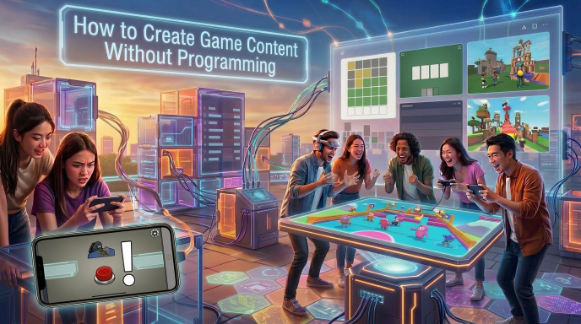
In this post, we will explore easy-to-use visual interfaces, drag-and-drop platforms, and smart prompts to help everyone create game levels. You are now going to learn how you can begin creating interactive worlds today without using any code.
Use Visual Engines to Create Game Projects Easily
Visual engines eliminate the need of traditional text programming by replacing it with interactive node trees and logical pathways. Rather than writing thousands of lines of code, you link together pre-made action modules with simple wire systems. This lets you determine how player characters move, interact with score counters, and establish win conditions using easy-to-understand visual interfaces.
For non-technical creators, these visual platforms provide complete control over game physics, sound effects, and camera angles. You can instantly see the logic flow of your level without having to spend time debugging missing semicolons or syntax errors. It reduces game logic into a puzzle that anyone can solve if they are willing to put in the time to learn how.
Try Drag-and-Drop
Drag-and-drop level editors let you build levels like you’re stacking blocks with digital toys. From a side toolbar, you choose platforms, hazard spikes, power-ups, and enemy sprites, and drop them on your game canvas. You can resize objects, change jump heights, and test obstacle spacing instantly.
This approach to design lets you create levels at a breakneck pace that is gratifying. If a trap placement is just too difficult or mean-spirited on a run-through, you can drag it to a less dangerous position. It enables you to create fun levels like in a game like ABC without ever having touch complex engine settings.
Use Text Prompts
The next stage of artificial intelligence platforms advances no-code creation further with the ability to create entire scenes. You type out a description of your world say a neon floating city or a spooky dungeon and the engine generates the background visuals, tilemaps and even character logic.
This text-based workflow allows you to try out brand-new concepts in mere seconds, not days of drawing up art. If you want to adjust gravity or replace enemy designs, you just type a quick patch into that prompt box. It’s like you have a world-class developer sitting right next to you, making custom interactive content.
Buy Ready Assets
Making a whole game from nothing can get really tedious when you’re having to create every single graphic asset, character animation, and SFX yourself. When you need a large quantity of high-quality 2D sprites, background tracks, and audio packs, check out these online asset stores; they’re ready to download. A lot of artists have entire royalty free packs, either cheap or even free.
Bringing these assets straight into your visual editor will instantly make your project look better. You can create your own unique aesthetic by combining pixel art tilesets, ambient music loops and particle effects from various creators. It allows you to have your time to focus solely on the craft, fun gameplay loops, and balanced level progression.
Publish Web Links
When your no-code game is complete, you don’t have to deal with the complexities of app store submission processes or creating file installers. Web-native platforms transform your completed project into a lightweight web link that works seamlessly across browsers. This means your players don’t have to download any executables or worry about device compatibility issues.
You can also post your game link directly in community forums, group chats or social media for instant playtesting. Friends who have phones, tablets, or laptops can get started on your levels in just seconds. Projects you publish on popular creation platforms like Astrocade are guaranteed to be played by real people immediately.
See also: Virginia Charter Bus & Minibus Rental: Comfortable and Reliable Group Transportation
Conclusion
With the unprecedented modern visual engines, drag-and-drop and AI text-based tools, all packed with many asset stores, almost anyone with a great idea can nowadays make playable worlds even without having a computer science degree, or having learnt programming languages for years. The technical hurdles that you once had to overcome to make mind-blowing creative products have dissipated into friendly, fast design interfaces.
No-code tools are the best creative launchpad you can have, even if you just want to make basic puzzle games or retro platformers, or you want to make a full-on action game like Mansion Merge. Get started on web creation platforms like Astrocade today, try out some visual templates and send your first play game straight from your browser to the world.
Frequently Asked Questions (FAQs)
Can I really create a complete game without knowing how to program?
Yes, today’s no-code engines, visual scripting systems, and AI game creators take care of all the underlying coding behind the scenes with menus and simple text commands.
Are free asset packs safe and legal to use in my games?
Yes, most free asset packs from reputable game development marketplaces are released under Creative Commons or royalty-free licenses which allow personal and commercial usage.
What types of games can I build using drag-and-drop editors?
You can make almost any type of 2D and light 3D game from side-scrolling platformers, outrageous arcade shooters, top-down puzzles, to interactive visual novel.
Will games created without coding run on mobile phones?
Yes, the best web design platforms do generate responsive HTML5 games that run on all mobile touchscreen devices, tablets, and desktop browsers without requiring any additional plugins.
How do I share my no-code game with my friends once it is finished?
The majority of browser-based engines provide a direct URL link which is shareable and can be sent to anyone so they can play your game by clicking on it without the need to install.